
FollowUpThen is a service (with free and paid versions) that works through your email account to send reminders to your inbox exactly when you need them.
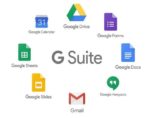
Professional email, online storage, and more. Choose your G Suite plan. The first 14 days are free.
Email @yourcompany.com
Send professional email from your business web address (you@yourcompany.com) and create group mailing lists like sales@yourcompany.com.
All the storage you need
G Suite’s Basic edition includes 30GB of online storage per user. For unlimited storage, upgrade to the Business or Enterprise edition.
24/7 live support
Call or email Google support to get help from a live person whenever you need it. You can also find fast answers online in our help center.
Advanced admin controls
Add and remove users, set up groups, and add security options like 2-step verification and single-sign-on (SSO), all from one centralized admin console.
Mobile device management
Keep your company data secure with device management that allows you to easily locate devices, require passwords, and erase data if needed.
Easy data migration
Use our migration tools and services to move your organization’s important data to G Suite from your current storage solutions.

GMass: Personalize Email Outreach at Scale Without Losing the Human Touch
Business Website Address : ceohack.co/refer/gmass
What Is GMass?
GMass is an email marketing and mail merge platform that works inside Gmail, allowing users to send personalized email campaigns, automate follow-ups, manage mailing lists, and track campaign performance. It helps entrepreneurs, sales teams, recruiters, and marketers scale email outreach without leaving their Gmail inbox.
GMass: Personalize Email Outreach at Scale Without Losing the Human Touch
The Problem
Email remains one of the highest ROI marketing channels.
Yet most entrepreneurs use it inefficiently.
They copy and paste messages.
Manually follow up.
Forget who replied.
Lose track of prospects.
Spend hours sending emails that could have been automated.
As outreach grows, the process becomes overwhelming.
Opportunities slip away simply because consistent follow-up is difficult to maintain.
The challenge isn't writing emails.
It's building a repeatable outreach system.
What Is GMass?
GMass is an email outreach and mail merge platform that integrates directly with Gmail.
It enables users to send personalized email campaigns, automate follow-up sequences, schedule emails, manage contact lists, and track campaign performance—all from within their existing Gmail account.
For Builders, GMass turns Gmail into a scalable outreach platform without adding unnecessary complexity.
Why It Matters for Builders
Builders often underestimate the value of consistent follow-up.
Most sales don't happen after the first email.
Relationships aren't built with one message.
Opportunities aren't created through one conversation.
Consistency wins.
GMass helps entrepreneurs automate repetitive outreach while keeping communication personal.
This creates leverage.
Instead of manually tracking every conversation, founders can build systems that maintain engagement automatically.
The result is better response rates, stronger relationships, and more time focused on closing opportunities instead of managing inboxes.
3 Practical Use Cases
Use Case #1: Cold Email Outreach
Problem
Entrepreneurs need to reach new prospects without sending emails one at a time.
How GMass Helps
Personalized mail merge campaigns streamline large-scale outreach directly from Gmail.
Business Outcome
More conversations and increased lead generation.
Use Case #2: Automated Follow-Ups
Problem
Prospects often don't respond to the first email, and manual follow-ups are inconsistent.
How GMass Helps
Automated follow-up sequences keep conversations moving without constant oversight.
Business Outcome
Higher reply rates and more sales opportunities.
Use Case #3: Internal Business Communication
Problem
Organizations need to send personalized updates to employees, partners, or clients.
How GMass Helps
Bulk personalized emails can be managed directly through Gmail.
Business Outcome
Faster communication and improved operational efficiency.
CEO Growth Hack
Most entrepreneurs think outreach is about sending emails.
The smartest entrepreneurs know outreach is about building systems.
One email starts a conversation.
Consistent follow-up builds relationships.
Relationships create revenue.
The mindset shift GMass enables is moving from manual outreach to scalable relationship building.
Instead of asking:
"How many emails did we send?"
Ask:
"How consistently are we following up with people who matter?"
This is how Builders become Architects.
Builders send messages.
Architects build communication systems.
Builders rely on memory.
Architects rely on automation.
The businesses that consistently generate opportunities aren't always sending more emails.
They're making sure the right conversations continue.
Key Benefits
- Sends personalized email campaigns
- Automates follow-up sequences
- Works directly inside Gmail
- Simplifies mail merge campaigns
- Improves outreach efficiency
- Tracks campaign performance
- Saves time on repetitive emailing
- Supports scalable communication
Best For
- Entrepreneurs
- Founders
- CEOs
- Sales Teams
- Recruiters
- Marketing Teams
- Agency Owners
- Consultants
- Coaches
- Small Business Owners
CEO Nugget
The fortune isn't just in the follow-up—it's in having a system that ensures the follow-up always happens.
Ready to Simplify This?
If you're spending too much time managing email outreach or forgetting to follow up with prospects, GMass can help automate your communication directly from Gmail so you can spend more time building relationships and less time managing your inbox.
Google Workspace: Run Your Business From One Connected Productivity Platform
Business Website Address : ceohack.co/refer/google-workspace
What Is Google Workspace?
Google Workspace is Google's cloud-based productivity and collaboration platform that includes professional Gmail, Google Drive, Docs, Sheets, Slides, Meet, Calendar, Chat, Forms, and other business tools. It helps businesses communicate, collaborate, store files securely, and manage daily operations from one integrated ecosystem.
Google Workspace: Run Your Business From One Connected Productivity Platform
The Problem
Every business depends on communication.
Emails.
Meetings.
Documents.
Spreadsheets.
Presentations.
Calendars.
File sharing.
The problem isn't having these tools.
It's having them scattered across different platforms.
One app for email.
Another for files.
A third for meetings.
A fourth for scheduling.
Information becomes fragmented.
Teams waste time searching for documents instead of getting work done.
The challenge isn't working harder.
It's working together more efficiently.
What Is Google Workspace?
Google Workspace is Google's all-in-one cloud productivity platform designed for businesses of every size.
It brings together business email, cloud storage, document creation, spreadsheets, presentations, video meetings, calendars, chat, forms, and collaboration tools into one connected environment.
For Builders, Google Workspace provides the operational foundation for running a modern business from anywhere.
Why It Matters for Builders
Builders don't just need software.
They need connected systems.
Every disconnected tool creates friction.
Every unnecessary login slows productivity.
Every lost document delays progress.
Google Workspace helps entrepreneurs centralize communication, collaboration, and knowledge sharing.
This creates leverage.
Instead of switching between disconnected applications, teams can collaborate in real time, access shared files from anywhere, and keep projects moving without unnecessary delays.
The result is faster decision-making, stronger teamwork, and improved operational efficiency.
3 Practical Use Cases
Use Case #1: Professional Business Communication
Problem
Using personal email accounts creates an unprofessional image and makes collaboration difficult.
How Google Workspace Helps
Businesses can use professional email addresses connected to their own domain.
Business Outcome
Greater credibility and more organized communication.
Use Case #2: Real-Time Team Collaboration
Problem
Teams waste time emailing multiple versions of documents back and forth.
How Google Workspace Helps
Docs, Sheets, and Slides support real-time collaboration with automatic saving.
Business Outcome
Faster teamwork and improved productivity.
Use Case #3: Organizing Business Operations
Problem
Files, meetings, and schedules become scattered across different tools.
How Google Workspace Helps
Drive, Calendar, Meet, Forms, and other apps work together in one ecosystem.
Business Outcome
Simplified operations and better team coordination.
CEO Growth Hack
Most entrepreneurs think productivity comes from working harder.
The smartest entrepreneurs know productivity comes from reducing friction.
Every unnecessary click.
Every duplicate file.
Every missed calendar invite.
Every disconnected workflow.
Costs your business time.
The mindset shift Google Workspace enables is moving from individual productivity to organizational productivity.
Instead of asking:
"How can I get more done today?"
Ask:
"How can our entire team work together more efficiently?"
This is how Builders become Architects.
Builders manage tasks.
Architects build collaborative systems.
Builders organize information.
Architects create environments where information flows naturally.
The businesses that scale efficiently don't simply hire more people.
They build systems that help those people work together better.
Key Benefits
- Professional business email
- Cloud-based file storage
- Real-time document collaboration
- Integrated calendars and scheduling
- Secure video meetings
- Centralized business communication
- Improved team productivity
- Accessible from anywhere
Best For
- Entrepreneurs
- Founders
- CEOs
- Small Business Owners
- Startups
- Remote Teams
- Marketing Agencies
- Consultants
- Nonprofit Organizations
- Growing Businesses
CEO Nugget
The most productive teams aren't the busiest—they're the most connected.
Ready to Simplify This?
If your business is juggling multiple apps for email, files, meetings, and collaboration, Google Workspace can bring everything together into one connected platform so your team can spend more time getting work done and less time switching between tools.