Directory
- AI (44)
- Apps & Software (66)
- CRM (5)
- Scheduling (7)
- Books (23)
- Business Supplies (4)
- CBNation Resources (6)
- DMV CEO (1)
- Community Resources (4)
- Courses (3)
- Event (1)
- Facebook Group (1)
- Financial (7)
- Free / Freemium (56)
- General (1)
- Gig Economy (6)
- Gresh's Favorites (9)
- Habits (7)
- Evening Routine (5)
- Morning Routines (5)
- Health & Wellness (4)
- Meditation (3)
- Human Resources & Human Capital (16)
- Payroll (2)
- Virtual Assistant (10)
- I AM CEO Podcast Guest (2)
- Insurance (1)
- Legal (4)
- Marketing, Advertising, PR (72)
- Mobile (2)
- Other (7)
- Phone (6)
- Podcasting (25)
- Productivity (8)
- Program & Courses (3)
- Sales (13)
- Security (4)
- Technology (3)
- Video (19)
- Website Resources (84)
- Browser Extensions (7)
- Ecommerce (1)
- Stock Photography & Video (8)

Hello Bar: Convert More Website Visitors Into Leads, Subscribers, and Customers
Business Website Address : ceohack.co/refer/hello-bar
What Is Hello Bar?
Hello Bar is a website conversion optimization platform that helps businesses capture leads, grow email subscribers, promote offers, and increase conversions using customizable popups, announcement bars, sliders, page takeovers, and call-to-action forms. It enables website owners to engage visitors at the right moment without requiring complex development.
Hello Bar: Turn More Website Visitors Into Customers
The Problem
Most websites have a silent problem.
Visitors arrive.
Browse a page.
Read some content.
Then leave.
No email.
No purchase.
No inquiry.
No return visit.
Every day, businesses lose potential customers simply because they never asked visitors to take the next step.
The challenge isn't getting more traffic.
It's converting the traffic you already have.
What Is Hello Bar?
Hello Bar is a website conversion tool that allows businesses to display targeted banners, popups, sliders, full-page messages, and lead capture forms based on visitor behavior.
Instead of hoping visitors take action on their own, Hello Bar presents relevant calls to action that encourage email signups, purchases, bookings, downloads, or other business goals.
For Builders, it transforms passive website traffic into measurable business opportunities.
Why It Matters for Builders
Builders invest significant time attracting visitors.
SEO.
Advertising.
Social media.
Email marketing.
But traffic alone doesn't generate revenue.
Conversions do.
Hello Bar helps entrepreneurs guide visitors toward meaningful actions before they leave the website.
This creates leverage.
Instead of constantly spending more on acquiring traffic, founders improve the value of existing traffic by increasing conversion opportunities.
The result is more leads, larger email lists, and stronger marketing performance.
3 Practical Use Cases
Use Case #1: Growing an Email List
Problem
Website visitors leave without subscribing.
How Hello Bar Helps
Lead capture forms encourage visitors to join email lists with targeted offers.
Business Outcome
Steady subscriber growth and improved audience ownership.
Use Case #2: Promoting Special Offers
Problem
Important promotions go unnoticed by website visitors.
How Hello Bar Helps
Announcement bars and popups highlight discounts, events, or limited-time campaigns.
Business Outcome
Higher visibility and increased campaign conversions.
Use Case #3: Increasing Website Conversions
Problem
Visitors often browse without taking action.
How Hello Bar Helps
Behavior-based calls to action appear at strategic moments during the visitor journey.
Business Outcome
More inquiries, sales, downloads, and customer engagement.
CEO Growth Hack
Most entrepreneurs focus on getting more visitors.
The smartest entrepreneurs focus on getting more value from every visitor.
If your website receives 10,000 visitors each month…
Increasing conversions by just a few percentage points can create hundreds of additional leads or customers.
Without increasing advertising spend.
The mindset shift Hello Bar encourages is moving from traffic generation to conversion optimization.
Instead of asking:
"How do we get more visitors?"
Ask:
"How do we help more visitors take action?"
This is how Builders become Architects.
Builders chase traffic.
Architects build conversion systems.
Builders count visitors.
Architects create customers.
The businesses that grow efficiently don't always attract the most traffic.
They simply convert more of the traffic they already have.
Key Benefits
- Captures more leads
- Grows email subscriber lists
- Promotes special offers
- Creates customizable popups and banners
- Increases website conversions
- Supports targeted visitor messaging
- Requires little to no coding
- Helps maximize existing website traffic
Best For
- Entrepreneurs
- Founders
- CEOs
- Bloggers
- Ecommerce Businesses
- SaaS Companies
- Marketing Teams
- Digital Agencies
- Content Creators
- Small Business Owners
CEO Nugget
The easiest customer to acquire is often the visitor who's already on your website.
Ready to Simplify This?
If you want to turn more of your website visitors into subscribers, leads, and paying customers, Hello Bar gives you simple, customizable tools to promote offers, capture emails, and optimize conversions—helping every visitor become a bigger opportunity.

Blazingly fast WordPress templates and plugins, built to get more traffic, more subscribers, more clients and more customers for you.

Help 4 Podcasts: Launch and Grow a Podcast Without Building an In-House Production Team
Business Website Address : ceohack.co/refer/Help4Podcasts
What Is Help 4 Podcasts?
Help 4 Podcasts is a podcast production and support service that helps entrepreneurs, business owners, coaches, consultants, and organizations launch, manage, edit, publish, and grow podcasts. It provides operational support that allows hosts to focus on creating valuable conversations while reducing the workload associated with podcast production.
Help 4 Podcasts: Launch and Grow a Podcast Without Building an In-House Production Team
The Problem
Many entrepreneurs understand the value of podcasting.
It builds authority.
Creates relationships.
Generates content.
Expands visibility.
Strengthens personal brands.
And opens doors to new opportunities.
The challenge is not recording episodes.
The challenge is everything that happens afterward.
Editing.
Publishing.
Show notes.
Distribution.
Scheduling.
Promotion.
Production workflows.
Most founders quickly discover that podcasting is not a content problem.
It's an operational problem.
Without systems, consistency becomes difficult.
Episodes get delayed.
Momentum disappears.
And a promising podcast becomes another unfinished project.
What Is Help 4 Podcasts?
Help 4 Podcasts is a podcast production and support service designed to help business owners manage the operational side of podcasting.
Rather than building an internal production team or learning every technical aspect of podcast management, entrepreneurs can leverage specialized support to streamline production workflows.
For Builders, this creates a simpler path to maintaining a professional podcast presence without significantly increasing workload.
Why It Matters for Builders
Most entrepreneurs underestimate the leverage created by conversations.
One podcast episode can build trust.
Generate content.
Create relationships.
Establish authority.
And produce opportunities long after it is published.
The problem is that consistency requires systems.
Without operational support, many founders abandon podcasting because production becomes overwhelming.
Help 4 Podcasts helps entrepreneurs stay focused on their highest-value activity: having meaningful conversations.
This creates leverage.
Instead of spending hours editing and managing production tasks, founders can focus on thought leadership, networking, and audience building.
The result is more consistency, better content output, and greater long-term visibility.
3 Practical Use Cases
Use Case #1: Launching a Business Podcast
Problem
Entrepreneurs want to start a podcast but feel overwhelmed by production requirements.
How Help 4 Podcasts Helps
The service provides production support that simplifies the launch process.
Business Outcome
Faster podcast deployment and improved consistency.
Use Case #2: Maintaining Publishing Consistency
Problem
Busy founders struggle to keep episodes moving through production and publishing workflows.
How Help 4 Podcasts Helps
Operational support helps manage ongoing podcast activities.
Business Outcome
More reliable publishing schedules and stronger audience engagement.
Use Case #3: Turning Conversations Into Marketing Assets
Problem
Podcast recordings often create value but require significant work before they can be shared effectively.
How Help 4 Podcasts Helps
Production workflows help move content from recording to publication more efficiently.
Business Outcome
Increased content output and improved marketing leverage.
CEO Growth Hack
Most entrepreneurs think podcasts are content channels.
The smartest entrepreneurs understand podcasts are relationship platforms.
Every guest creates a connection.
Every episode builds trust.
Every conversation becomes an asset.
The mindset shift Help 4 Podcasts enables is moving from content creation to content systems.
Instead of asking:
"How do I find time to produce a podcast?"
Ask:
"How do I build a system that allows my podcast to operate consistently?"
This is how Builders become Architects.
Builders record episodes.
Architects create content ecosystems.
Builders focus on individual episodes.
Architects focus on long-term audience growth.
The businesses that benefit most from podcasting are often the ones that create sustainable systems around it.
Key Benefits
- Simplifies podcast production
- Improves publishing consistency
- Reduces operational workload
- Supports audience growth
- Helps create authority-building content
- Increases content leverage
- Allows founders to focus on conversations
- Creates scalable podcast systems
Best For
- Entrepreneurs
- Founders
- CEOs
- Consultants
- Coaches
- Agency Owners
- Personal Brands
- Thought Leaders
- Business Podcasters
- Content Creators
CEO Nugget
A great podcast isn't built by recording more episodes. It's built by creating a system that makes consistency possible.
Ready to Simplify This?
If you're spending too much time managing podcast production or struggling to stay consistent, Help 4 Podcasts can help create a more efficient production process so you can spend more time building relationships and less time managing technical details.

WeWork is an American company that provides shared workspaces for technology startup subculture communities, and services for entrepreneurs, freelancers, startups, small businesses and large enterprises. Founded in 2010, it is headquartered in New York City.
WeWork is the platform for creators. We provide everything you need to make a life, not just a living.
WeWork’s mission is to create a world where people work to make a life, not just a living.

SourceBottle: Earn Media Exposure Without Hiring a PR Agency
Business Website Address : ceohack.co/refer/sourcebottle
What Is SourceBottle?
SourceBottle is a media connection platform that helps journalists, bloggers, podcasters, and content creators find expert sources for stories while giving entrepreneurs, business owners, authors, and professionals opportunities to contribute their expertise and gain media exposure.
SourceBottle: Earn Media Exposure Without Hiring a PR Agency
The Problem
Most entrepreneurs have valuable expertise.
The problem is that very few people ever hear it.
Building credibility takes time.
Generating trust takes consistency.
Getting featured in respected publications often feels impossible without expensive PR agencies or established media relationships.
As a result, many founders rely entirely on their own marketing channels.
They publish content.
Post on social media.
Send newsletters.
While these efforts matter, they limit exposure to existing audiences.
The challenge isn't having expertise.
The challenge is getting that expertise in front of new audiences.
What Is SourceBottle?
SourceBottle is a platform that connects journalists and content creators with expert sources for articles, interviews, podcasts, and media stories.
Entrepreneurs can respond to requests from journalists who are actively looking for expert commentary and insights.
For Builders, SourceBottle creates opportunities to earn media coverage through expertise rather than advertising budgets.
Why It Matters for Builders
Most entrepreneurs chase attention.
The smartest entrepreneurs earn credibility.
There's a difference.
Advertising buys visibility.
Media coverage builds trust.
When someone else quotes your expertise, your authority grows faster than if you simply promote yourself.
SourceBottle helps entrepreneurs position themselves where those opportunities already exist.
This creates leverage.
One expert contribution can lead to a published article.
One article can lead to podcast invitations.
One interview can lead to partnerships.
One relationship can lead to new business.
The result is a compounding authority system instead of relying solely on paid marketing.
3 Practical Use Cases
Use Case #1: Building Personal Authority
Problem
Entrepreneurs struggle to establish credibility in competitive industries.
How SourceBottle Helps
Experts can connect with journalists seeking knowledgeable contributors.
Business Outcome
Greater visibility and increased industry authority.
Use Case #2: Growing Brand Awareness
Problem
Businesses want exposure beyond their existing audience.
How SourceBottle Helps
Media opportunities introduce businesses to new audiences.
Business Outcome
Expanded reach and improved brand recognition.
Use Case #3: Creating Business Opportunities
Problem
Founders need more strategic networking opportunities.
How SourceBottle Helps
Contributing expertise often leads to relationships with journalists, creators, and industry professionals.
Business Outcome
More partnerships, referrals, and business opportunities.
CEO Growth Hack
Most entrepreneurs believe marketing creates authority.
The smartest entrepreneurs understand authority creates marketing.
People trust recommendations.
People trust expert opinions.
People trust third-party validation.
The mindset shift SourceBottle enables is moving from self-promotion to earned credibility.
Instead of asking:
"How do I tell people I'm an expert?"
Ask:
"How do I put my expertise where people are already looking for it?"
This is how Builders become Architects.
Builders create visibility.
Architects create credibility.
Builders buy attention.
Architects earn attention.
The businesses that become industry leaders are often the ones that consistently contribute value before asking for business.
Key Benefits
- Connects experts with journalists
- Creates media exposure opportunities
- Builds personal authority
- Expands brand visibility
- Supports thought leadership
- Generates networking opportunities
- Strengthens business credibility
- Creates long-term reputation assets
Best For
- Entrepreneurs
- Founders
- CEOs
- Authors
- Coaches
- Consultants
- Agency Owners
- Public Speakers
- Subject Matter Experts
- Personal Brands
CEO Nugget
The fastest way to build authority isn't talking about yourself—it's becoming the expert others quote.
Ready to Simplify This?
If you're looking to grow your credibility, secure media mentions, or establish yourself as an industry expert, SourceBottle can help connect you with journalists and creators seeking expert insights so you can spend more time building authority and less time chasing publicity.

CBNation Amazon Store: Discover Entrepreneur-Approved Tools, Books, and Business Essentials
Business Website Address : ceohack.co/refer/cbnation-amazon-store
What Is the CBNation Amazon Store?
The CBNation Amazon Store is a curated Amazon storefront featuring recommended books, podcast equipment, office products, business tools, technology, and entrepreneur-focused resources. It helps business owners quickly discover products that support productivity, content creation, leadership, and business growth without spending hours researching options.
CBNation Amazon Store: Skip the Research and Find Business Tools That Actually Matter
The Problem
Running a business requires more than software.
You need books.
Office equipment.
Podcast microphones.
Cameras.
Lighting.
Productivity tools.
Desk accessories.
Business essentials.
The internet offers millions of products.
Thousands of reviews.
Endless comparisons.
Entrepreneurs often spend hours researching purchases that should take minutes.
Decision fatigue slows progress.
The challenge isn't finding products.
It's knowing which ones deserve your attention.
What Is the CBNation Amazon Store?
The CBNation Amazon Store is a curated collection of products selected for entrepreneurs, creators, business owners, and professionals.
Rather than searching through countless listings, visitors can browse organized recommendations covering business books, podcasting gear, office equipment, technology, productivity tools, and other resources commonly used by growing businesses.
For Builders, the store acts as a shortcut to trusted business products.
Why It Matters for Builders
Builders make purchasing decisions every week.
A better microphone.
A new business book.
A standing desk.
A productivity tool.
A camera for content creation.
Individually, these decisions seem small.
Collectively, they influence how efficiently a business operates.
The CBNation Amazon Store helps reduce research time by organizing products entrepreneurs commonly need.
This creates leverage.
Instead of comparing hundreds of products across dozens of websites, founders can spend more time implementing solutions and less time evaluating endless options.
The result is faster decisions and a more productive business.
3 Practical Use Cases
Use Case #1: Building a Podcast or Content Studio
Problem
Entrepreneurs don't know which equipment to buy for recording professional content.
How the CBNation Amazon Store Helps
Curated recommendations simplify equipment selection.
Business Outcome
Faster setup and better content production.
Use Case #2: Expanding a Business Library
Problem
Business owners struggle to choose books that provide practical value.
How the CBNation Amazon Store Helps
Curated reading recommendations highlight resources for leadership, marketing, productivity, and entrepreneurship.
Business Outcome
Smarter learning and stronger decision-making.
Use Case #3: Upgrading Office Productivity
Problem
Researching office equipment and productivity products consumes valuable time.
How the CBNation Amazon Store Helps
Organized collections help entrepreneurs quickly find useful business essentials.
Business Outcome
Improved productivity and less time spent researching purchases.
CEO Growth Hack
Most entrepreneurs think success comes from having more options.
The smartest entrepreneurs know success comes from making better decisions faster.
Research has value.
But endless comparison creates procrastination.
Curated recommendations reduce decision fatigue.
That means more time building.
Less time browsing.
The mindset shift the CBNation Amazon Store encourages is moving from endless shopping to intentional investing.
Instead of asking:
"What's the highest-rated product?"
Ask:
"What's the product that best supports the way I build my business?"
This is how Builders become Architects.
Builders collect products.
Architects build systems.
Builders chase the newest gadget.
Architects invest in tools that improve execution.
The businesses that grow efficiently aren't necessarily buying more—they're buying more intentionally.
Key Benefits
- Curated business product recommendations
- Saves research time
- Helps discover entrepreneur-approved tools
- Supports content creation
- Improves office productivity
- Highlights business books and learning resources
- Simplifies equipment selection
- Encourages smarter purchasing decisions
Best For
- Entrepreneurs
- Founders
- CEOs
- Content Creators
- Podcasters
- Agency Owners
- Consultants
- Small Business Owners
- Startup Teams
- Business Professionals
CEO Nugget
The best tools won't build your business for you—but the right tools can help you build it faster.
Ready to Simplify This?
If you're looking for trusted books, podcast gear, office equipment, or productivity tools without spending hours comparing products, the CBNation Amazon Store offers a curated collection of entrepreneur-focused recommendations so you can make smarter purchasing decisions and get back to growing your business.
The E-Myth Revisited: Build a Business That Works Without Depending on You
Business Website Address : ceohack.co/refer/The-E-Myth-Revisited
What Is The E-Myth Revisited?
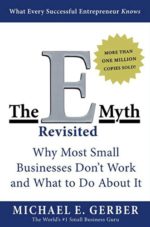
The E-Myth Revisited: Why Most Small Businesses Don't Work and What to Do About It is a bestselling business book by Michael E. Gerber that explains why many small businesses struggle to grow. The book emphasizes building systems, documenting processes, and working on the business instead of constantly working in it, helping entrepreneurs create companies that can scale and operate more independently.
The E-Myth Revisited: Stop Building a Job for Yourself—Start Building a Business
The Problem
Many entrepreneurs start businesses for freedom.
Then lose it.
They become the salesperson.
The accountant.
The marketer.
The customer support representative.
The operations manager.
The technician.
The business depends on them for everything.
Taking a vacation feels impossible.
Growth slows.
Burnout follows.
The challenge isn't starting a business.
It's building one that can succeed without your constant involvement.
What Is The E-Myth Revisited?
The E-Myth Revisited is a business classic by Michael E. Gerber that challenges the belief that technical expertise alone leads to business success.
Gerber argues that many entrepreneurs become trapped because they spend all their time working in the business instead of designing systems that allow the business to operate efficiently.
For Builders, the book provides a practical framework for creating scalable organizations built on repeatable processes rather than individual effort.
Why It Matters for Builders
Builders often wear every hat.
At first…
That's necessary.
Eventually…
It becomes the biggest obstacle to growth.
Every undocumented process creates dependency.
Every decision requiring the owner's approval slows progress.
The E-Myth Revisited encourages entrepreneurs to think like architects instead of technicians.
This creates leverage.
Instead of solving the same problems repeatedly, founders build systems that produce consistent results regardless of who performs the work.
The result is a business that's easier to grow, delegate, and eventually step away from.
3 Practical Use Cases
Use Case #1: Documenting Business Processes
Problem
Critical knowledge exists only in the owner's head.
How The E-Myth Revisited Helps
The book encourages creating documented systems for recurring tasks.
Business Outcome
Greater consistency and easier employee training.
Use Case #2: Delegating Responsibilities
Problem
Founders become bottlenecks because every decision depends on them.
How The E-Myth Revisited Helps
Clear systems make delegation more effective and less risky.
Business Outcome
More scalable operations and reduced owner burnout.
Use Case #3: Building a Scalable Business
Problem
Growth becomes difficult when success depends on one person's time.
How The E-Myth Revisited Helps
The book promotes designing businesses that function through repeatable processes.
Business Outcome
Long-term growth and increased business value.
CEO Growth Hack
Most entrepreneurs ask:
"How can I get more done?"
The smartest entrepreneurs ask:
"How can this get done without me?"
Every repetitive task should become a documented process.
Every process should become a system.
Every system should reduce dependence on the founder.
The mindset shift The E-Myth Revisited encourages is moving from being the business to building the business.
Instead of asking:
"How do I work harder?"
Ask:
"How do I build a business that works even when I'm not working?"
This is how Builders become Architects.
Builders create businesses.
Architects create systems.
Builders solve today's problems.
Architects prevent tomorrow's problems.
The businesses that achieve lasting success aren't built around extraordinary individuals.
They're built around extraordinary systems.
Key Benefits
- Encourages system-driven business growth
- Helps entrepreneurs delegate effectively
- Reduces owner dependency
- Improves operational consistency
- Supports scalable business development
- Simplifies employee training
- Builds long-term business value
- Promotes strategic leadership
Best For
- Entrepreneurs
- Founders
- CEOs
- Small Business Owners
- Franchise Operators
- Consultants
- Coaches
- Service-Based Businesses
- Startup Leaders
- Anyone looking to scale a business
CEO Nugget
If your business can't operate without you, you've created a job—not a scalable company.
Ready to Simplify This?
If you're ready to stop being the bottleneck in your business, The E-Myth Revisited provides timeless strategies for building systems, empowering your team, and creating a company that can grow beyond your daily involvement.

Vocal: Build Stronger Customer Relationships With Personalized Video Email
Business Website Address : ceohack.co/refer/vocal
What Is Vocal?
Vocal is a video email platform that helps businesses create and send personalized video messages through email. It enables entrepreneurs, sales professionals, marketers, and customer-facing teams to communicate more effectively, increase engagement, and build stronger relationships through human-centered communication.
Vocal: Build Stronger Customer Relationships With Personalized Video Email
The Problem
Most business communication feels forgettable.
Prospects receive hundreds of emails.
Customers are flooded with marketing messages.
Sales teams compete for attention in crowded inboxes.
And entrepreneurs struggle to build genuine connections at scale.
The result is declining engagement.
Lower response rates.
Missed opportunities.
And relationships that never fully develop.
The problem isn't necessarily the message.
The problem is that the message looks exactly like everyone else's.
In a world of automated communication, standing out has become one of the most valuable business advantages.
The challenge is creating personal connections without spending hours on every interaction.
What Is Vocal?
Vocal is a video email platform that helps businesses incorporate personalized video communication into their outreach, marketing, customer engagement, and relationship-building efforts.
Instead of relying solely on text-based communication, entrepreneurs can use video messages to add personality, context, and authenticity to conversations.
For Builders, this creates an opportunity to make digital communication feel more human while maintaining efficiency.
Why It Matters for Builders
Entrepreneurs often face a relationship scalability problem.
As businesses grow, maintaining personal connections becomes increasingly difficult.
Customers want attention.
Prospects want trust.
Partners want confidence.
Teams want clarity.
Yet there are only so many hours in a day.
Traditional email allows communication to scale, but often sacrifices personal connection.
Video communication helps bridge that gap.
Vocal enables entrepreneurs to communicate in a way that feels more authentic and engaging while supporting scalable outreach efforts.
This creates leverage.
Instead of choosing between personalization and efficiency, business owners can create systems that support both.
The result is stronger relationships, higher engagement, and more meaningful business interactions.
3 Practical Use Cases
Use Case #1: Personalized Sales Outreach
Problem
Sales emails often get ignored because they feel generic and impersonal.
How Vocal Helps
Entrepreneurs and sales teams can incorporate personalized video communication into outreach efforts.
Business Outcome
Higher engagement, stronger first impressions, and improved relationship-building opportunities.
Use Case #2: Client Relationship Management
Problem
Businesses struggle to maintain a personal touch as customer bases grow.
How Vocal Helps
Video communication adds a more human element to customer interactions.
Business Outcome
Improved customer relationships and increased loyalty.
Use Case #3: Team Communication
Problem
Important messages are often misunderstood or overlooked in text-based communication.
How Vocal Helps
Video messages provide additional context, clarity, and connection.
Business Outcome
Stronger team alignment and improved communication effectiveness.
CEO Growth Hack
Most entrepreneurs think communication is about delivering information.
The best entrepreneurs understand communication is about building trust.
Information can be automated.
Trust must be earned.
The mindset shift Vocal enables is moving from transactional communication to relationship-driven communication.
Instead of asking:
"How can I send more messages?"
Ask:
"How can I create more meaningful interactions?"
This is how Builders become Architects.
Builders focus on activity.
Architects focus on connection.
Builders optimize volume.
Architects optimize trust.
In a world increasingly dominated by automation, the businesses that create authentic human experiences often gain the greatest competitive advantage.
Key Benefits
- Increases email engagement
- Adds personalization to communication
- Strengthens customer relationships
- Supports relationship-driven sales
- Improves communication clarity
- Creates stronger first impressions
- Helps businesses stand out in crowded inboxes
- Combines personalization with scalability
Best For
- Entrepreneurs
- Founders
- CEOs
- Sales Professionals
- Consultants
- Coaches
- Agency Owners
- Customer Success Teams
- Marketing Professionals
- Relationship-Based Businesses
CEO Nugget
People rarely remember another email. They remember how you made them feel.
Ready to Simplify This?
If you're struggling to stand out in crowded inboxes or build stronger customer relationships through traditional email, Vocal can help create a more engaging communication process so you can spend more time building trust and less time competing for attention.

Swiftic: Build a Mobile App for Your Business Without Writing Code
Business Website Address : ceohack.co/refer/swiftic
What Is Swiftic?
Swiftic is a no-code mobile app builder that enables small businesses to create custom iOS and Android apps without programming experience. It offers features such as loyalty programs, push notifications, appointment booking, ecommerce integration, coupons, and customer engagement tools to help businesses strengthen relationships and grow through mobile experiences.
Swiftic: Put Your Business in Your Customers' Pockets
The Problem
Customers spend hours every day on their smartphones.
They shop.
Book appointments.
Browse products.
Read reviews.
Make purchases.
Yet many small businesses still rely only on a website.
The result?
Missed opportunities.
Lower engagement.
Fewer repeat customers.
The challenge isn't getting customers online.
It's staying connected after they leave your website.
What Is Swiftic?
Swiftic is a no-code mobile app builder designed to help small businesses create branded mobile apps without hiring developers.
Businesses can build apps that include loyalty programs, coupons, online ordering, appointment scheduling, push notifications, ecommerce features, and customer communication tools.
For Builders, Swiftic makes mobile app development accessible, affordable, and easy to manage.
Why It Matters for Builders
Builders don't just want customers.
They want returning customers.
A mobile app creates a direct connection between your business and your audience.
Instead of waiting for customers to visit your website, your business becomes accessible from their home screen.
Swiftic helps entrepreneurs strengthen customer engagement through personalized mobile experiences.
This creates leverage.
Instead of relying solely on email or social media, businesses gain another channel for communicating promotions, updates, and special offers.
The result is stronger customer loyalty, improved engagement, and more opportunities for repeat business.
3 Practical Use Cases
Use Case #1: Launching a Business Mobile App
Problem
Small businesses believe mobile app development is too expensive or technical.
How Swiftic Helps
A no-code platform makes app creation simple with customizable templates and built-in business features.
Business Outcome
A branded mobile app launched without hiring developers.
Use Case #2: Increasing Customer Loyalty
Problem
Businesses struggle to encourage repeat purchases.
How Swiftic Helps
Built-in loyalty programs, coupons, and rewards keep customers engaged.
Business Outcome
Higher customer retention and increased repeat business.
Use Case #3: Promoting Special Offers
Problem
Promotions often get lost in crowded inboxes and social media feeds.
How Swiftic Helps
Push notifications deliver timely messages directly to customers' mobile devices.
Business Outcome
Greater campaign visibility and improved customer engagement.
CEO Growth Hack
Most entrepreneurs think mobile apps are only for large companies.
The smartest entrepreneurs know convenience creates loyalty.
Every extra step between a customer and your business reduces engagement.
An app removes friction.
It keeps your brand within easy reach.
The mindset shift Swiftic encourages is moving from simply having a digital presence to creating an ongoing customer relationship.
Instead of asking:
"How do customers find us?"
Ask:
"How do we stay connected after they find us?"
This is how Builders become Architects.
Builders attract customers.
Architects build loyalty.
Builders focus on transactions.
Architects focus on relationships.
The businesses that thrive over the long term aren't just easy to find—they're easy to return to.
Key Benefits
- No-code mobile app builder
- Custom branding for iOS and Android apps
- Loyalty and rewards programs
- Push notifications
- Appointment booking features
- Ecommerce integration
- Coupon and promotion management
- Increased customer engagement
Best For
- Entrepreneurs
- Founders
- CEOs
- Small Business Owners
- Restaurants
- Retail Stores
- Salons and Spas
- Fitness Studios
- Service-Based Businesses
- Ecommerce Brands
CEO Nugget
The businesses customers remember are often the ones that stay just one tap away.
Ready to Simplify This?
If you're looking to give your customers a better mobile experience without investing in custom app development, Swiftic can help you create a branded app that increases engagement, strengthens loyalty, and keeps your business connected to customers wherever they go.

Circle: Build a Community That Grows Your Business Without Constant Founder Involvement
Business Website Address : ceohack.co/refer/circle
What Is Circle?
Circle is an online community platform that enables businesses, creators, coaches, and entrepreneurs to bring discussions, memberships, events, courses, and community engagement into a single place. It helps organizations create stronger relationships with their audience while building a centralized community experience.
Circle: Build a Community That Grows Your Business Without Constant Founder Involvement
The Problem
Most entrepreneurs spend enormous amounts of time answering the same questions.
Customers need guidance.
Prospects want advice.
Members seek support.
Clients look for resources.
As a business grows, these interactions become increasingly difficult to manage individually.
Many founders attempt to solve this problem through email, social media groups, messaging apps, webinars, and scattered communication channels. Unfortunately, these solutions often create more complexity than clarity.
Conversations become fragmented.
Knowledge becomes difficult to find.
Engagement becomes inconsistent.
And the founder remains the center of every interaction.
This creates a scalability problem.
If every customer relationship depends on direct founder involvement, growth eventually reaches a ceiling.
The challenge is not attracting people.
The challenge is creating an environment where people can connect, learn, and engage without requiring constant oversight.
What Is Circle?
Circle is an online community platform designed to bring discussions, memberships, events, courses, content, and community interactions into a centralized environment.
Instead of managing conversations across multiple tools, entrepreneurs can create a dedicated space where members, customers, clients, students, or audiences can connect and engage around shared interests and goals.
For Builders, Circle provides the infrastructure needed to transform audiences into communities and communities into long-term business assets.
Why It Matters for Builders
Most businesses focus heavily on customer acquisition.
Far fewer focus on customer connection.
Acquiring a customer is important.
Keeping them engaged is where long-term value is created.
Communities help strengthen relationships between customers, increase engagement, improve retention, and create opportunities for peer-to-peer support that reduce pressure on the founder and team.
Circle enables entrepreneurs to create systems where customers help customers, members share knowledge, and conversations continue even when the founder is focused elsewhere.
This creates leverage.
Instead of personally managing every interaction, business owners can facilitate an ecosystem that delivers ongoing value at scale.
The result is stronger loyalty, deeper engagement, and a more resilient business model.
3 Practical Use Cases
Use Case #1: Building a Membership Community
Problem
Coaches, consultants, and educators often struggle to keep members engaged between sessions and programs.
How Circle Helps
Circle provides a centralized environment where members can connect, share experiences, ask questions, and continue learning together.
Business Outcome
Higher engagement, improved member retention, and stronger recurring revenue opportunities.
Use Case #2: Creating Customer Communities
Problem
Businesses frequently spend excessive time responding to repetitive customer questions.
How Circle Helps
Customers can interact with one another, share insights, and access discussions within a dedicated community space.
Business Outcome
Reduced support burden, stronger customer satisfaction, and increased customer loyalty.
Use Case #3: Hosting Events and Educational Experiences
Problem
Managing events, discussions, and learning experiences across multiple platforms creates friction.
How Circle Helps
Circle allows entrepreneurs to centralize community engagement around educational content, events, and member interaction.
Business Outcome
Improved participation, stronger community engagement, and better customer experiences.
CEO Growth Hack
Most entrepreneurs think they need a bigger audience.
What they actually need is a stronger community.
Audiences consume.
Communities contribute.
Audiences watch.
Communities participate.
Audiences disappear.
Communities stay.
The mindset shift Circle enables is moving from audience building to ecosystem building.
This is how Builders become Architects.
Builders focus on attracting attention.
Architects focus on creating environments where relationships generate value independently.
When customers connect with one another, the business becomes less dependent on the founder.
When knowledge is shared within the community, support becomes more scalable.
When members build relationships, retention improves naturally.
The strongest businesses are often built around communities, not just customers.
Key Benefits
- Centralizes community engagement
- Strengthens customer relationships
- Increases member retention
- Reduces founder dependency
- Encourages peer-to-peer support
- Creates recurring engagement opportunities
- Supports scalable community growth
- Builds long-term business assets
Best For
- Entrepreneurs
- Founders
- Coaches
- Consultants
- Course Creators
- Membership Businesses
- Agency Owners
- Educators
- Personal Brands
- Community Builders
CEO Nugget
An audience helps you grow. A community helps you scale.
Ready to Simplify This?
If you're spending too much time managing scattered conversations, answering repetitive questions, or trying to keep members engaged, Circle can help create a more connected community experience so you can spend more time growing the business and less time managing individual interactions.