Directory
- AI (44)
- Apps & Software (66)
- CRM (5)
- Scheduling (7)
- Books (23)
- Business Supplies (4)
- CBNation Resources (6)
- DMV CEO (1)
- Community Resources (4)
- Courses (3)
- Event (1)
- Facebook Group (1)
- Financial (7)
- Free / Freemium (56)
- General (1)
- Gig Economy (6)
- Gresh's Favorites (9)
- Habits (7)
- Evening Routine (5)
- Morning Routines (5)
- Health & Wellness (4)
- Meditation (3)
- Human Resources & Human Capital (16)
- Payroll (2)
- Virtual Assistant (10)
- I AM CEO Podcast Guest (2)
- Insurance (1)
- Legal (4)
- Marketing, Advertising, PR (72)
- Mobile (2)
- Other (7)
- Phone (6)
- Podcasting (25)
- Productivity (8)
- Program & Courses (3)
- Sales (13)
- Security (4)
- Technology (3)
- Video (19)
- Website Resources (84)
- Browser Extensions (7)
- Ecommerce (1)
- Stock Photography & Video (8)

Google Keyword Planner: Validate Demand Before You Invest in Content or Ads
Business Website Address : ceohack.co/refer/google-keyword-planner
What Is Google Keyword Planner?
Google Keyword Planner is a keyword research tool within Google Ads that helps businesses discover keyword ideas, understand search demand, and plan advertising campaigns. Entrepreneurs and marketers also use it to identify search opportunities and inform their SEO and content strategies.
Google Keyword Planner: Validate Demand Before You Invest in Content or Ads
The Problem
One of the biggest mistakes entrepreneurs make is building before validating.
They create blog posts nobody searches for.
Launch landing pages around the wrong keywords.
Spend money on ads targeting low-intent audiences.
Develop products based on assumptions instead of demand.
The result?
Hours of work.
Marketing budgets consumed.
Very little return.
The problem isn't poor execution.
It's poor validation.
Successful businesses don't guess what people want.
They research what people are already looking for.
What Is Google Keyword Planner?
Google Keyword Planner is Google's keyword research and planning tool, available within Google Ads.
It helps businesses discover keyword ideas, understand search demand, estimate keyword trends, and support advertising campaign planning.
For Builders, it also serves as a powerful research tool for validating content ideas, understanding customer language, and identifying opportunities before investing time or marketing dollars.
Why It Matters for Builders
Builders often think marketing starts with creating.
The smartest entrepreneurs know it starts with research.
Every keyword represents demand.
Every search reflects intent.
Every search volume estimate tells a story about what customers want.
Google Keyword Planner helps entrepreneurs build strategies around evidence instead of assumptions.
This creates leverage.
Instead of creating content that may never be discovered, founders can prioritize topics and campaigns aligned with real customer demand.
The result is more effective marketing and better long-term ROI.
3 Practical Use Cases
Use Case #1: Planning SEO Content
Problem
Businesses create content without knowing whether people are searching for it.
How Google Keyword Planner Helps
Keyword research helps identify topics with measurable search demand.
Business Outcome
More strategic content planning and stronger organic growth.
Use Case #2: Improving Advertising Campaigns
Problem
Entrepreneurs struggle to choose keywords for paid search campaigns.
How Google Keyword Planner Helps
The tool provides keyword ideas and planning insights to support campaign development.
Business Outcome
Smarter advertising decisions and more efficient budget allocation.
Use Case #3: Validating Business Ideas
Problem
Founders often invest in products and services before confirming customer interest.
How Google Keyword Planner Helps
Search demand provides valuable signals about market interest.
Business Outcome
Better-informed business decisions and reduced risk.
CEO Growth Hack
Most entrepreneurs think marketing starts with publishing.
The smartest entrepreneurs know marketing starts with listening.
Search engines contain millions of conversations happening every day.
Customers are telling you:
What they need.
What they fear.
What they're comparing.
What they're ready to buy.
The mindset shift Google Keyword Planner enables is moving from assumption-based marketing to evidence-based marketing.
Instead of asking:
"What do we want to promote?"
Ask:
"What is our market actively searching for?"
This is how Builders become Architects.
Builders create first.
Architects validate first.
Builders chase attention.
Architects solve existing demand.
The businesses that win consistently are often the ones that align their marketing with customer intent instead of internal opinions.
Key Benefits
- Identifies keyword opportunities
- Validates customer demand
- Supports SEO strategy
- Improves advertising planning
- Helps prioritize content ideas
- Reveals customer search behavior
- Reduces marketing guesswork
- Enables data-driven decision-making
Best For
- Entrepreneurs
- Founders
- CEOs
- SEO Professionals
- Digital Marketers
- Content Creators
- Agency Owners
- Ecommerce Businesses
- Bloggers
- Small Business Owners
CEO Nugget
The best marketing strategy doesn't begin with your message—it begins with understanding what your customers are already searching for.
Ready to Simplify This?
If you're creating content, planning SEO, or running Google Ads without knowing what your audience is searching for, Google Keyword Planner can help you validate demand before you invest—so you can spend more time targeting real opportunities and less time guessing what will work.

Gusto: Simplify Payroll, HR, and Benefits So You Can Focus on Growing Your Business
Business Website Address : ceohack.co/refer/gusto
What Is Gusto?
Gusto is a cloud-based payroll, HR, and people management platform that helps businesses onboard employees, run payroll, manage benefits, track time, handle tax filings, and support their workforce from a single system. It simplifies people operations so entrepreneurs can spend more time growing their business instead of managing administrative tasks.
Gusto: Build a Better Team Without Building a Bigger HR Department
The Problem
Hiring your first employee is exciting.
Managing your tenth is different.
Payroll has to be accurate.
Taxes have to be filed.
Benefits need administration.
New hires need onboarding.
Time tracking needs organization.
Compliance requirements continue to grow.
As your team expands, people operations become increasingly complex.
Many founders discover they're spending more time managing employees than leading the business.
The challenge isn't hiring great people.
It's creating systems that help them succeed.
What Is Gusto?
Gusto is an all-in-one people platform that combines payroll, HR, benefits administration, onboarding, compliance support, and employee management.
Instead of using separate tools for payroll, HR, and employee records, businesses can manage their workforce from a centralized platform.
For Builders, Gusto simplifies the administrative side of growing a team so leadership can focus on building the business.
Why It Matters for Builders
Builders don't scale businesses alone.
They scale through people.
Great employees deserve great systems.
Late payroll creates frustration.
Complicated onboarding delays productivity.
Disconnected HR processes waste valuable time.
Gusto helps entrepreneurs create a smoother employee experience from the first day of work through ongoing payroll and benefits.
This creates leverage.
Instead of juggling spreadsheets, paperwork, and multiple HR tools, founders gain a streamlined people management system that supports both employees and the business.
The result is improved efficiency, better employee experiences, and more time for strategic leadership.
3 Practical Use Cases
Use Case #1: Running Payroll
Problem
Payroll processing can be time-consuming and prone to costly mistakes.
How Gusto Helps
Payroll, tax calculations, and filings are managed through one platform.
Business Outcome
Accurate payroll, reduced administrative work, and more confidence on payday.
Use Case #2: Onboarding New Employees
Problem
Manual onboarding slows productivity and creates unnecessary paperwork.
How Gusto Helps
Digital onboarding streamlines employee paperwork and setup.
Business Outcome
A faster, more professional onboarding experience.
Use Case #3: Managing Benefits and HR
Problem
Small businesses often struggle to manage benefits and HR processes efficiently.
How Gusto Helps
Benefits administration, employee records, and HR tools are integrated into one platform.
Business Outcome
Better employee support and simplified people management.
CEO Growth Hack
Most entrepreneurs think payroll is about paying employees.
The smartest entrepreneurs know payroll is about building trust.
Every paycheck.
Every onboarding experience.
Every employee interaction.
Shapes company culture.
The mindset shift Gusto encourages is moving from managing employees to supporting people.
Instead of asking:
"How do we process payroll?"
Ask:
"How do we create an employee experience people want to be part of?"
This is how Builders become Architects.
Builders hire people.
Architects build organizations.
Builders manage payroll.
Architects build systems that help people thrive.
The strongest businesses aren't built solely on great products.
They're built on great teams supported by great processes.
Key Benefits
- Automates payroll processing
- Simplifies employee onboarding
- Manages benefits administration
- Supports HR operations
- Handles payroll tax filings
- Improves employee experience
- Centralizes people management
- Reduces administrative workload
Best For
- Entrepreneurs
- Founders
- CEOs
- Small Business Owners
- Startups
- Growing Companies
- HR Managers
- Operations Teams
- Professional Service Firms
- Agency Owners
CEO Nugget
Your business grows when your people grow—and great people deserve great systems.
Ready to Simplify This?
If payroll, HR, and employee administration are taking time away from growing your business, Gusto can help you streamline your people operations so you can spend more time leading your team and less time managing paperwork.
Grammarly: Write Clear, Professional, and Confident Business Communication
Business Website Address : ceohack.co/refer/grammarly
What Is Grammarly?
Grammarly is an AI-powered writing assistant that helps individuals and businesses improve grammar, spelling, punctuation, clarity, tone, and overall writing quality. It works across browsers, desktop applications, mobile devices, and popular business tools to help users communicate more effectively.
Grammarly: Write Clear, Professional, and Confident Business Communication
The Problem
Every business runs on communication.
Emails.
Proposals.
Contracts.
Blog posts.
Sales pages.
Social media.
Reports.
Presentations.
One poorly written message can create confusion.
Reduce credibility.
Delay a sale.
Or leave the wrong first impression.
Entrepreneurs don't need to be professional writers.
But they do need to communicate professionally.
The challenge isn't writing more.
It's writing clearly.
What Is Grammarly?
Grammarly is an AI-powered writing assistant that helps improve grammar, spelling, punctuation, sentence structure, clarity, tone, and readability across a wide range of writing tasks.
Whether you're writing emails, marketing copy, proposals, reports, or social media posts, Grammarly provides real-time suggestions to help you communicate more effectively.
For Builders, Grammarly acts as a second set of eyes before important messages are sent.
Why It Matters for Builders
Builders make decisions through communication.
A proposal wins a client.
An email builds trust.
A job description attracts talent.
A sales page generates revenue.
Words matter.
Small writing mistakes can make a business appear less professional than it actually is.
Grammarly helps entrepreneurs polish their communication without slowing down their workflow.
This creates leverage.
Instead of spending extra time proofreading every document, founders can write with greater confidence while maintaining a consistent, professional brand voice.
The result is stronger communication, fewer misunderstandings, and increased credibility.
3 Practical Use Cases
Use Case #1: Improving Business Emails
Problem
Emails with grammar mistakes or unclear wording can reduce professionalism.
How Grammarly Helps
Real-time writing suggestions improve clarity and correctness before messages are sent.
Business Outcome
More professional communication and stronger client relationships.
Use Case #2: Creating Marketing Content
Problem
Marketing copy needs to be clear, persuasive, and error-free.
How Grammarly Helps
The platform reviews grammar, readability, and tone while content is being written.
Business Outcome
Higher-quality marketing materials and greater audience trust.
Use Case #3: Reviewing Important Documents
Problem
Contracts, proposals, and reports require careful proofreading.
How Grammarly Helps
Writing suggestions help reduce errors and improve readability.
Business Outcome
More polished documents and greater confidence before sharing them.
CEO Growth Hack
Most entrepreneurs think communication is about writing faster.
The smartest entrepreneurs know communication is about being understood.
Perfect grammar isn't the goal.
Clear thinking is.
Every message should reduce confusion.
Build trust.
Move the conversation forward.
The mindset shift Grammarly encourages is moving from simply writing to intentionally communicating.
Instead of asking:
"Did I write enough?"
Ask:
"Will the reader immediately understand what I mean?"
This is how Builders become Architects.
Builders send messages.
Architects build clarity.
Builders write.
Architects communicate.
The businesses that earn trust consistently are often the ones that communicate with the greatest clarity.
Key Benefits
- Improves grammar and spelling
- Enhances writing clarity
- Adjusts tone for different audiences
- Reduces proofreading time
- Strengthens professional communication
- Supports marketing and business writing
- Builds confidence in written communication
- Works across multiple platforms and applications
Best For
- Entrepreneurs
- Founders
- CEOs
- Marketing Teams
- Sales Professionals
- Consultants
- Students
- Content Creators
- Remote Teams
- Small Business Owners
CEO Nugget
Professional writing isn't about using bigger words—it's about making every word easier to understand.
Ready to Simplify This?
If you want every email, proposal, and piece of content to reflect the professionalism of your business, Grammarly can help you write with greater clarity and confidence so you can spend more time building relationships and less time worrying about writing mistakes.

GSD Masterclass: Stop Managing Tasks and Start Building Execution Systems
Business Website Address : ceohack.co/refer/GSD-masterclass
What Is GSD Masterclass?
GSD Masterclass is a business education and execution-focused training program designed to help entrepreneurs improve productivity, focus, decision-making, and implementation. It teaches business owners how to move from constant activity to consistent execution by building systems that turn goals into measurable outcomes.
GSD Masterclass: Stop Managing Tasks and Start Building Execution Systems
The Problem
Most entrepreneurs don't struggle with ideas.
They struggle with execution.
The average founder has more opportunities than they can realistically pursue. New marketing strategies, operational improvements, growth initiatives, partnerships, products, and revenue opportunities appear constantly.
The problem isn't knowing what to do.
The problem is consistently doing what matters most.
Many Builders spend their days reacting.
Emails.
Meetings.
Client requests.
Operational issues.
Unexpected problems.
At the end of the day, they feel busy but not necessarily productive.
Weeks pass.
Months pass.
And the strategic projects that actually drive growth remain unfinished.
The challenge is not effort.
The challenge is execution.
What Is GSD Masterclass?
GSD Masterclass is a training program focused on helping entrepreneurs improve execution, productivity, accountability, and business performance.
Rather than teaching endless tactics, the program focuses on helping business owners implement systems, habits, and frameworks that improve follow-through and help convert goals into measurable results.
For entrepreneurs seeking greater consistency and momentum, GSD Masterclass provides a framework for turning intention into action.
Why It Matters for Builders
Many entrepreneurs become trapped in operational gravity.
The business constantly pulls their attention toward urgent issues.
As a result, important work rarely receives enough focus.
Growth initiatives stall.
Systems remain unfinished.
Opportunities remain unrealized.
The reality is that businesses rarely fail because of a lack of information.
They fail because of inconsistent implementation.
GSD Masterclass addresses this challenge by focusing on execution as a skill.
When execution improves, everything improves.
Marketing becomes more consistent.
Sales processes become more reliable.
Operations become more efficient.
Strategic goals become achievable.
This creates leverage because entrepreneurs stop relying solely on motivation and begin relying on systems.
3 Practical Use Cases
Use Case #1: Improving Business Focus
Problem
Entrepreneurs often juggle too many priorities at once.
How GSD Masterclass Helps
The training emphasizes frameworks that help business owners identify and focus on high-impact activities.
Business Outcome
Greater clarity, improved productivity, and faster progress toward strategic goals.
Use Case #2: Eliminating Execution Bottlenecks
Problem
Projects frequently start with enthusiasm but lose momentum before completion.
How GSD Masterclass Helps
Participants learn approaches that encourage accountability and consistent implementation.
Business Outcome
More completed initiatives and stronger business performance.
Use Case #3: Building Sustainable Growth Systems
Problem
Many businesses depend too heavily on founder effort rather than repeatable processes.
How GSD Masterclass Helps
The program encourages system-driven execution rather than reactive management.
Business Outcome
More scalable operations and reduced founder overwhelm.
CEO Growth Hack
Most entrepreneurs think success comes from knowing more.
In reality, success often comes from executing better.
Information is everywhere.
Implementation is rare.
The mindset shift GSD Masterclass enables is moving from productivity to execution.
Productivity is about doing more.
Execution is about accomplishing what matters.
This is how Builders become Architects.
Builders manage tasks.
Architects build systems.
Builders chase motivation.
Architects rely on processes.
Builders react to circumstances.
Architects create momentum through consistent action.
The businesses that grow fastest are rarely those with the best ideas.
They are the ones that consistently execute on the right ideas.
Key Benefits
- Improves execution consistency
- Increases accountability
- Helps eliminate operational bottlenecks
- Supports better prioritization
- Reduces overwhelm
- Encourages system-driven growth
- Improves business focus
- Creates sustainable momentum
Best For
- Entrepreneurs
- Founders
- CEOs
- Consultants
- Coaches
- Agency Owners
- Small Business Owners
- Startup Leaders
- Operations Managers
- Growth-Focused Professionals
CEO Nugget
The gap between where your business is today and where you want it to be is usually an execution gap, not an information gap.
Ready to Simplify This?
If you're spending too much time staying busy but not enough time making meaningful progress, GSD Masterclass can help create a more effective execution system so you can spend more time growing the business and less time managing unfinished priorities.

<iframe width="560" height="315" src="https://www.youtube.com/embed/PC1DSmSwGME" title="YouTube video player" frameborder="0" allow="accelerometer; autoplay; clipboard-write; encrypted-media; gyroscope; picture-in-picture" allowfullscreen></iframe>
A virtual phone system can help your business stay organized with many calls coming in. Sound professional and stay connected.

A Google Voice number gives users one number that can receive calls from all of their various phones. Users can customize their account so that when someone calls a user's Google Voice phone number, it can ring on all of their phones, or just certain phones that a user selects.
Gravity Forms is the Easiest Tool to Create Advanced Forms for Your WordPress-Powered Website.
Gravity Forms is a WordPress plugin used originally for contact forms, but in a more general sense, it allows site owners to create forms to collect information. Gravity Forms can be used for contact forms, WordPress post creation, calculators, employment applications and more.
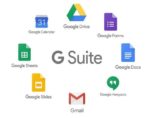
Google Workspace: Run Your Business From One Connected Productivity Platform
Business Website Address : ceohack.co/refer/google-workspace
What Is Google Workspace?
Google Workspace is Google's cloud-based productivity and collaboration platform that includes professional Gmail, Google Drive, Docs, Sheets, Slides, Meet, Calendar, Chat, Forms, and other business tools. It helps businesses communicate, collaborate, store files securely, and manage daily operations from one integrated ecosystem.
Google Workspace: Run Your Business From One Connected Productivity Platform
The Problem
Every business depends on communication.
Emails.
Meetings.
Documents.
Spreadsheets.
Presentations.
Calendars.
File sharing.
The problem isn't having these tools.
It's having them scattered across different platforms.
One app for email.
Another for files.
A third for meetings.
A fourth for scheduling.
Information becomes fragmented.
Teams waste time searching for documents instead of getting work done.
The challenge isn't working harder.
It's working together more efficiently.
What Is Google Workspace?
Google Workspace is Google's all-in-one cloud productivity platform designed for businesses of every size.
It brings together business email, cloud storage, document creation, spreadsheets, presentations, video meetings, calendars, chat, forms, and collaboration tools into one connected environment.
For Builders, Google Workspace provides the operational foundation for running a modern business from anywhere.
Why It Matters for Builders
Builders don't just need software.
They need connected systems.
Every disconnected tool creates friction.
Every unnecessary login slows productivity.
Every lost document delays progress.
Google Workspace helps entrepreneurs centralize communication, collaboration, and knowledge sharing.
This creates leverage.
Instead of switching between disconnected applications, teams can collaborate in real time, access shared files from anywhere, and keep projects moving without unnecessary delays.
The result is faster decision-making, stronger teamwork, and improved operational efficiency.
3 Practical Use Cases
Use Case #1: Professional Business Communication
Problem
Using personal email accounts creates an unprofessional image and makes collaboration difficult.
How Google Workspace Helps
Businesses can use professional email addresses connected to their own domain.
Business Outcome
Greater credibility and more organized communication.
Use Case #2: Real-Time Team Collaboration
Problem
Teams waste time emailing multiple versions of documents back and forth.
How Google Workspace Helps
Docs, Sheets, and Slides support real-time collaboration with automatic saving.
Business Outcome
Faster teamwork and improved productivity.
Use Case #3: Organizing Business Operations
Problem
Files, meetings, and schedules become scattered across different tools.
How Google Workspace Helps
Drive, Calendar, Meet, Forms, and other apps work together in one ecosystem.
Business Outcome
Simplified operations and better team coordination.
CEO Growth Hack
Most entrepreneurs think productivity comes from working harder.
The smartest entrepreneurs know productivity comes from reducing friction.
Every unnecessary click.
Every duplicate file.
Every missed calendar invite.
Every disconnected workflow.
Costs your business time.
The mindset shift Google Workspace enables is moving from individual productivity to organizational productivity.
Instead of asking:
"How can I get more done today?"
Ask:
"How can our entire team work together more efficiently?"
This is how Builders become Architects.
Builders manage tasks.
Architects build collaborative systems.
Builders organize information.
Architects create environments where information flows naturally.
The businesses that scale efficiently don't simply hire more people.
They build systems that help those people work together better.
Key Benefits
- Professional business email
- Cloud-based file storage
- Real-time document collaboration
- Integrated calendars and scheduling
- Secure video meetings
- Centralized business communication
- Improved team productivity
- Accessible from anywhere
Best For
- Entrepreneurs
- Founders
- CEOs
- Small Business Owners
- Startups
- Remote Teams
- Marketing Agencies
- Consultants
- Nonprofit Organizations
- Growing Businesses
CEO Nugget
The most productive teams aren't the busiest—they're the most connected.
Ready to Simplify This?
If your business is juggling multiple apps for email, files, meetings, and collaboration, Google Workspace can bring everything together into one connected platform so your team can spend more time getting work done and less time switching between tools.
Professional email, online storage, and more. Choose your G Suite plan. The first 14 days are free.
Email @yourcompany.com
Send professional email from your business web address (you@yourcompany.com) and create group mailing lists like sales@yourcompany.com.
All the storage you need
G Suite’s Basic edition includes 30GB of online storage per user. For unlimited storage, upgrade to the Business or Enterprise edition.
24/7 live support
Call or email Google support to get help from a live person whenever you need it. You can also find fast answers online in our help center.
Advanced admin controls
Add and remove users, set up groups, and add security options like 2-step verification and single-sign-on (SSO), all from one centralized admin console.
Mobile device management
Keep your company data secure with device management that allows you to easily locate devices, require passwords, and erase data if needed.
Easy data migration
Use our migration tools and services to move your organization’s important data to G Suite from your current storage solutions.

Google Trends: Spot Market Opportunities Before Your Competitors Do
What Is Google Trends?
Google Trends is a free search insights tool from Google that shows how search interest changes over time for topics, keywords, and queries. It helps entrepreneurs, marketers, and business owners identify trends, compare search interest, and make more informed decisions about content, products, and marketing strategies.
Google Trends: Spot Market Opportunities Before Your Competitors Do
The Problem
Most entrepreneurs react to the market.
The smartest entrepreneurs anticipate it.
By the time everyone is talking about a new trend…
The opportunity is already becoming crowded.
Marketing budgets increase.
Competition grows.
Customer acquisition becomes more expensive.
The businesses that grow fastest aren't always first.
They're simply early enough to act before everyone else.
The challenge isn't finding opportunities.
It's recognizing them before they become obvious.
What Is Google Trends?
Google Trends is a search insights platform that shows how interest in search topics changes over time.
Entrepreneurs can compare keywords, analyze seasonal trends, explore regional interest, and discover emerging topics based on Google Search data.
For Builders, Google Trends provides a way to validate ideas, identify market shifts, and make decisions based on real search behavior instead of assumptions.
Why It Matters for Builders
Builders often make marketing decisions based on instinct.
The smartest entrepreneurs combine instinct with evidence.
Search behavior reflects curiosity.
Curiosity often appears before buying behavior.
When entrepreneurs understand what people are beginning to search for, they gain an opportunity to create content, products, and campaigns before competitors flood the market.
Google Trends helps identify those shifts.
This creates leverage.
Instead of reacting to yesterday's market, founders can prepare for tomorrow's.
The result is smarter planning, more relevant marketing, and stronger long-term positioning.
3 Practical Use Cases
Use Case #1: Identifying Emerging Content Topics
Problem
Businesses struggle to know which subjects will attract future interest.
How Google Trends Helps
Search trend data highlights growing topics and changing audience interests.
Business Outcome
Earlier content creation and stronger organic visibility.
Use Case #2: Planning Seasonal Marketing
Problem
Marketing campaigns often launch after customer demand has already peaked.
How Google Trends Helps
Historical search patterns reveal seasonal demand cycles.
Business Outcome
Better campaign timing and improved marketing performance.
Use Case #3: Validating Business Opportunities
Problem
Entrepreneurs risk investing in products or services without understanding market interest.
How Google Trends Helps
Trend data provides additional insight into changing consumer demand.
Business Outcome
Smarter investment decisions and reduced business risk.
CEO Growth Hack
Most entrepreneurs focus on what's happening today.
The smartest entrepreneurs pay attention to what's starting to happen tomorrow.
Markets leave clues.
Customers leave signals.
Search behavior reveals both.
The mindset shift Google Trends enables is moving from reactive marketing to predictive thinking.
Instead of asking:
"What's popular right now?"
Ask:
"What's gaining momentum before everyone else notices?"
This is how Builders become Architects.
Builders follow trends.
Architects recognize patterns.
Builders react to demand.
Architects prepare for demand.
The businesses that consistently outperform competitors are often the ones that identify opportunities while everyone else is still focused on yesterday's market.
Key Benefits
- Identifies emerging trends
- Validates market demand
- Supports SEO planning
- Improves content strategy
- Reveals seasonal search patterns
- Helps compare search topics
- Supports data-driven marketing
- Enables better business forecasting
Best For
- Entrepreneurs
- Founders
- CEOs
- SEO Professionals
- Content Creators
- Marketing Teams
- Agency Owners
- Ecommerce Businesses
- Product Marketers
- Small Business Owners
CEO Nugget
The businesses that win tomorrow are often the ones paying attention to today's emerging trends.
Ready to Simplify This?
If you're planning content, launching products, or building marketing campaigns, Google Trends can help you identify growing opportunities before they become crowded—so you can spend more time leading the market and less time chasing it.